
Team Calendar Pro for Azure DevOps
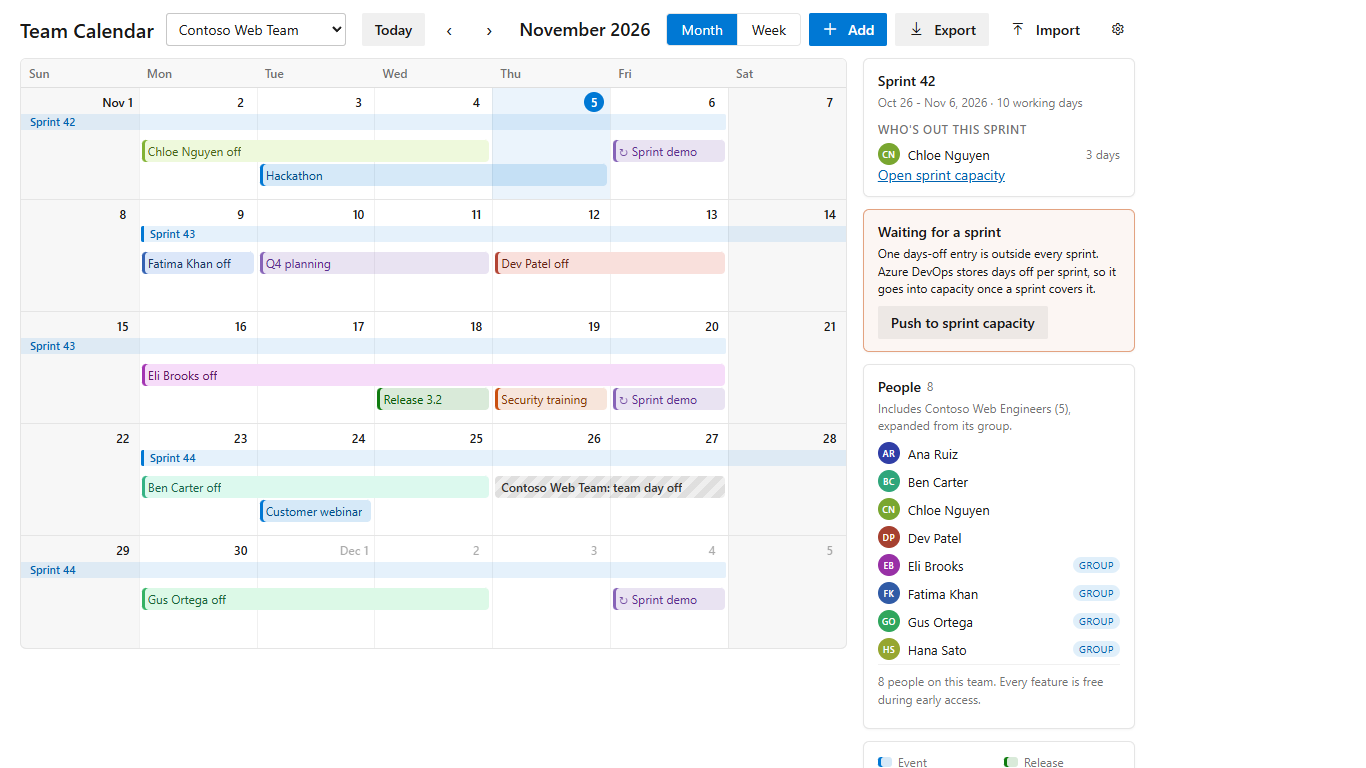
A team calendar under Boards > Team Calendar that shows sprints, days off and events on one page. Days off are saved in sprint capacity, so the capacity page, the sprint burndown and the calendar agree.
Get Team Calendar Pro on the Visual Studio Marketplace
What it does
- Days off that land in sprint capacity. Add a day off for a person or the whole team. A range that crosses two sprints is split between them, and the dialog shows the working days and the sprint each part goes into before you save.
- Waiting days. Days off outside every sprint (a holiday booked before next quarter's sprints exist) are kept and marked "waiting for a sprint". One click on Push to sprint capacity moves them in once the sprint is created.
- Entra ID groups expanded to people. Groups added as team members, including nested groups, are opened and the people in them listed. Build service accounts are left out.
- Month and week views. A month view with a sprint band, event bars and days-off bars. A week view with one row per person and an "available" count per working day. A sidebar with the current sprint and who is out.
- Events. Releases, planning, trainings and holidays, with a category colour, a description and an optional repeat (weekly, monthly or yearly, every n, optional end date).
- Export. An .ics file for Outlook, Google Calendar and Apple Calendar, and days off as CSV.
- Import from Microsoft's Team Calendar. Copies the team's custom events once, with no duplicates on a second run. Days off carry over on their own because both extensions use sprint capacity. If the old extension's data cannot be read from the browser, a PowerShell script exports the events to a file that the same dialog imports. See support.
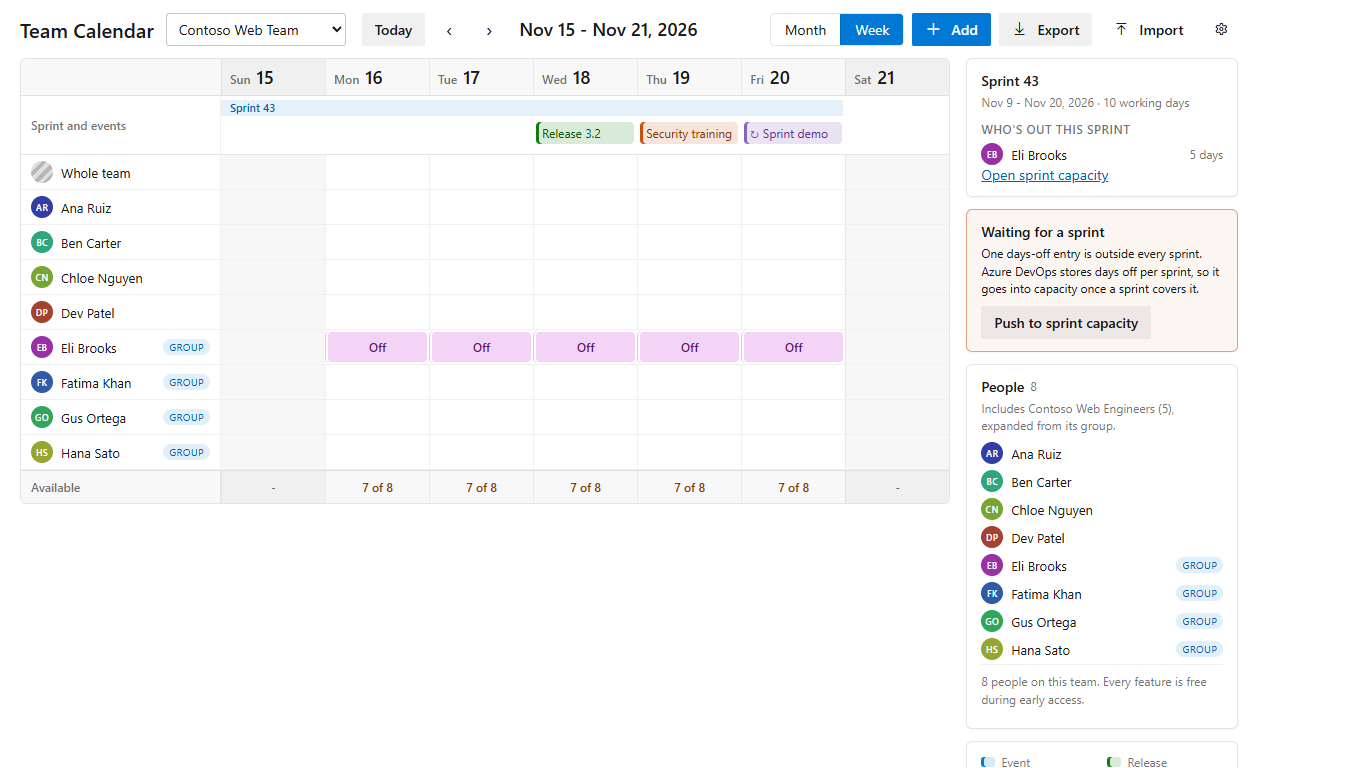
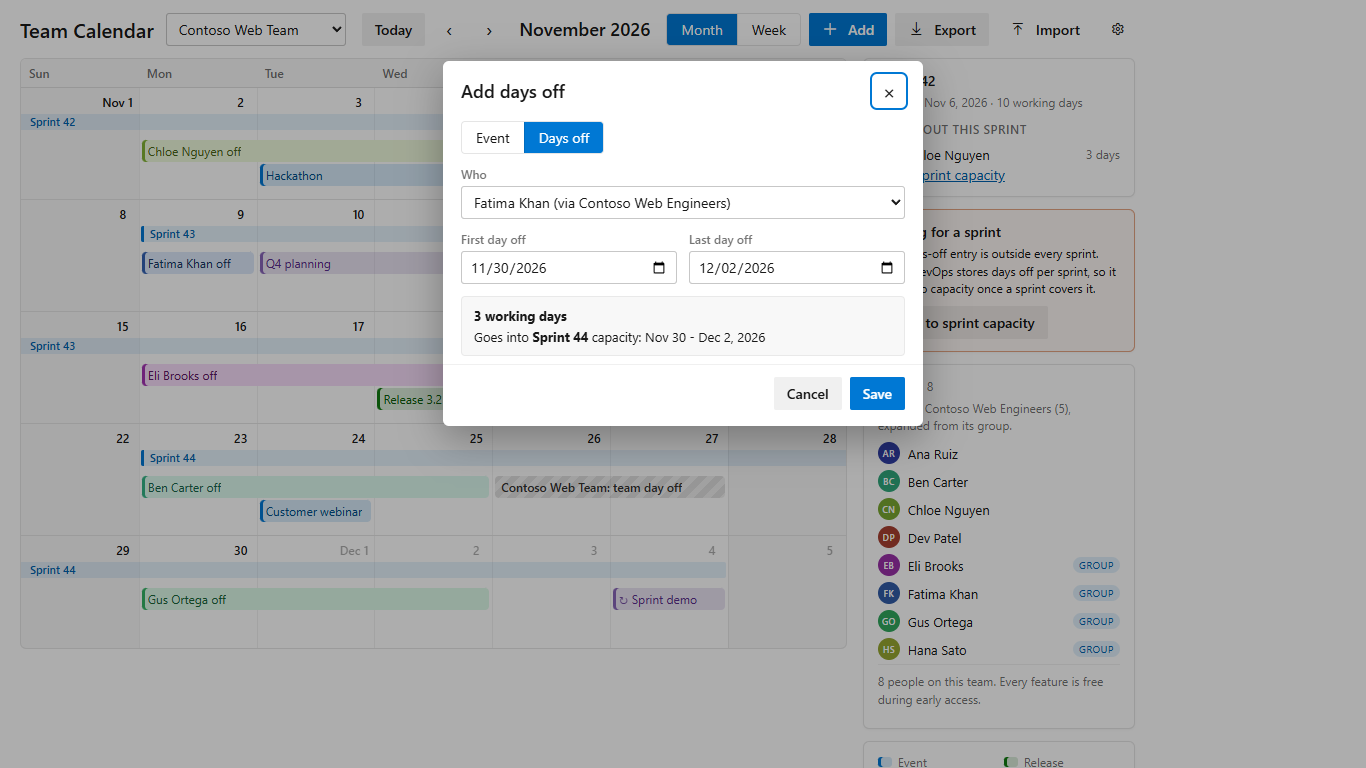
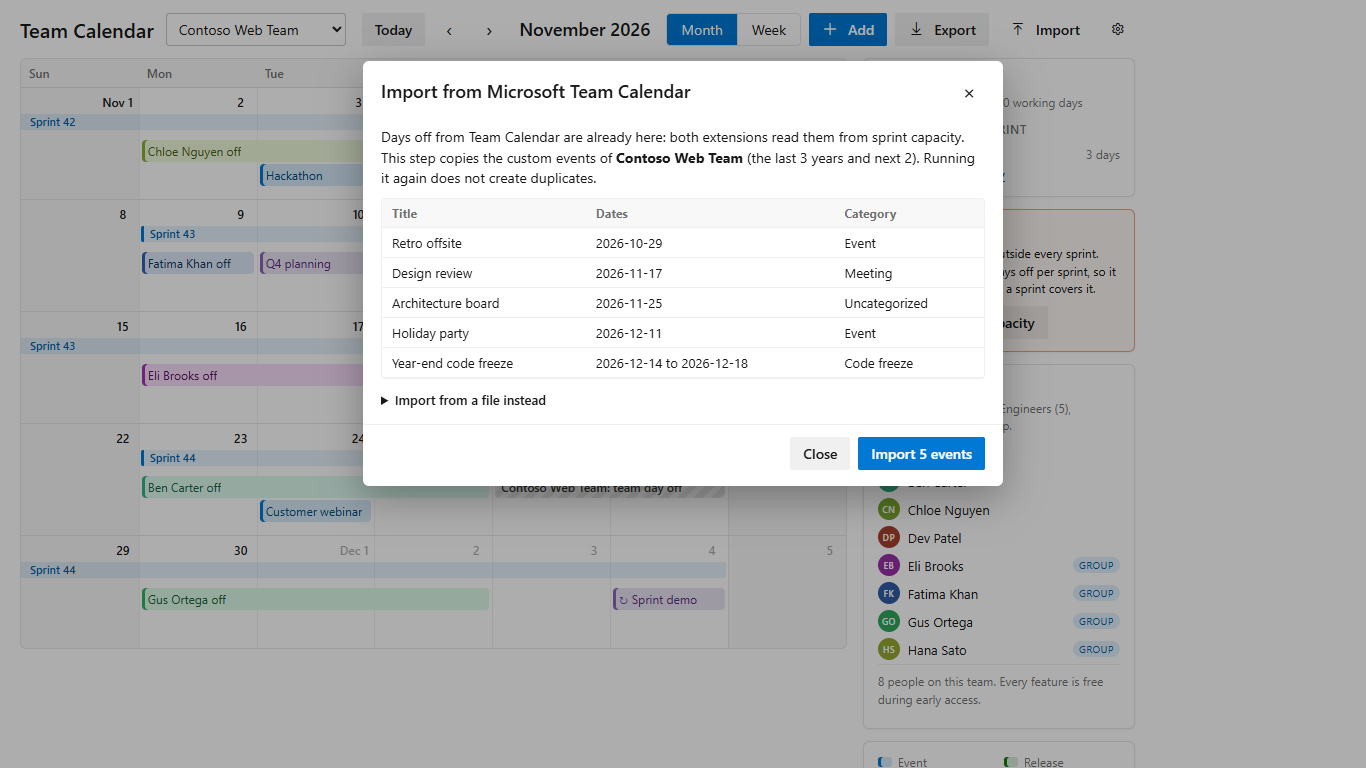
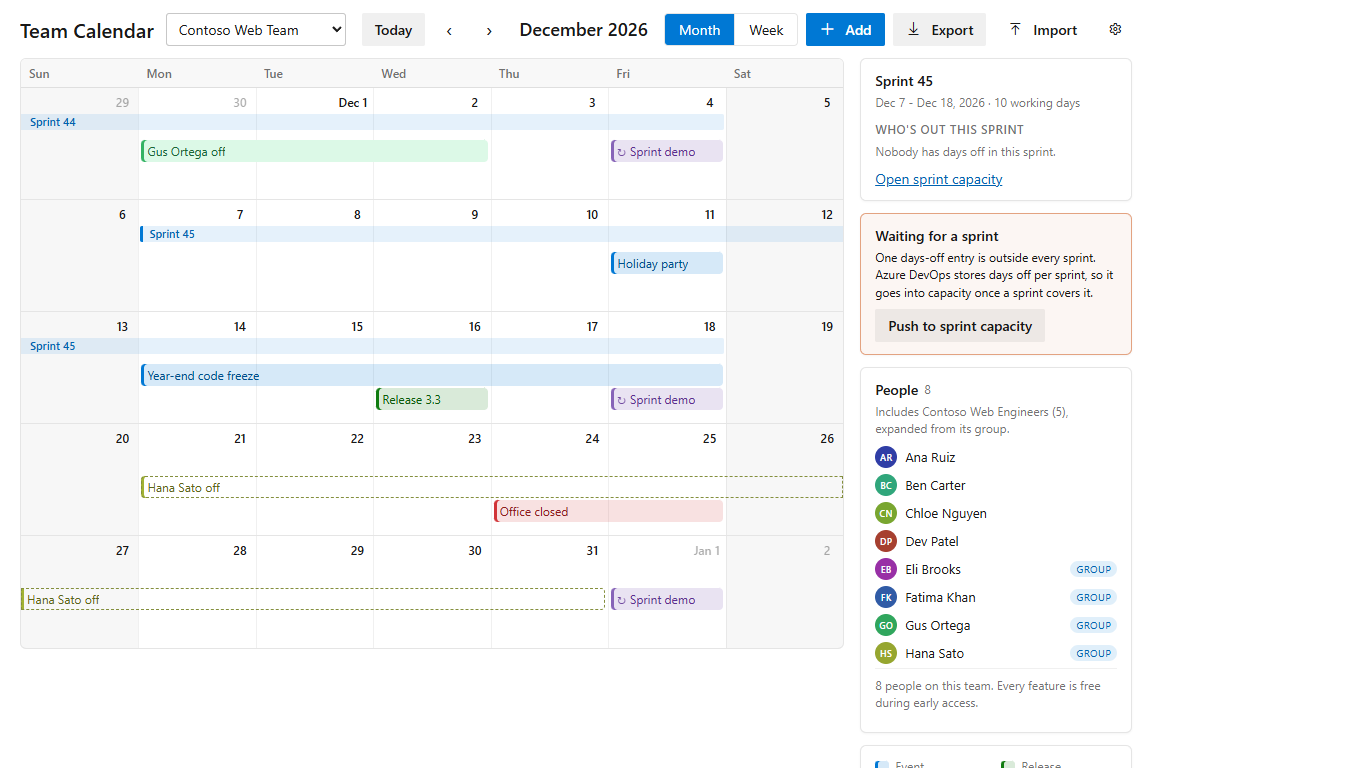
The people and team names in the screenshots are sample data.
Your data stays in Azure DevOps
Days off are in sprint capacity. Events and settings are in your organization's Extension Data Service. Team Calendar Pro has no server of its own and sends calendar data nowhere else. See the privacy policy.
Permissions
- Work items (read and write): sprints, team settings and capacity, where days off live.
- Project and team (read): the team list and team members.
- Identity (read): expanding group members.
Pricing
Free during early access, with every feature included. Azure DevOps Services only.
Support
Email tyler@leducsystems.com or see the support page. I answer support email myself.
FAQ
Do days off show on the sprint capacity page? Yes. They are written to sprint capacity: the team's days off, or the person's days off in their capacity row. Removing a day off in the calendar removes it there.
I have Microsoft's Team Calendar installed. Do I lose my data? No. Team Calendar Pro is a separate extension and does not change the old one's data. Import copies events across; days off need no import.
Why is someone from an Entra ID group missing? Azure DevOps only knows Entra users who have been added to the organization or have signed in. See support.
Does it work on Azure DevOps Server? Not in this version. It targets Azure DevOps Services.
Is anything sent to LeDuc Systems? No calendar data. The extension has no analytics.
Team Calendar Pro is made by LeDuc Systems LLC. It is not made by or affiliated with Microsoft.